Registration & Login
-
Tap the button next to the Mod button in the song selection menu to open the login/register page.
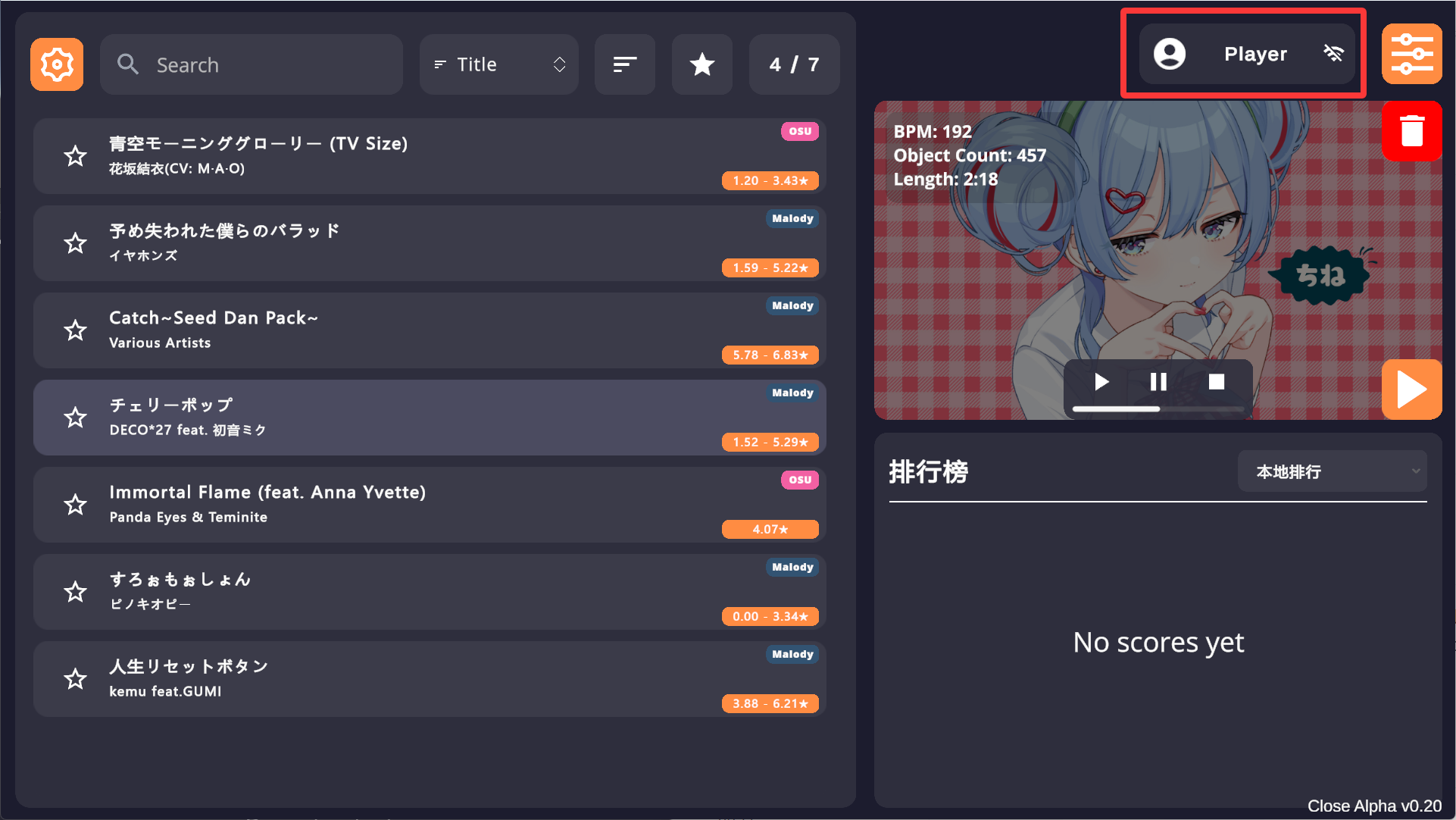
-
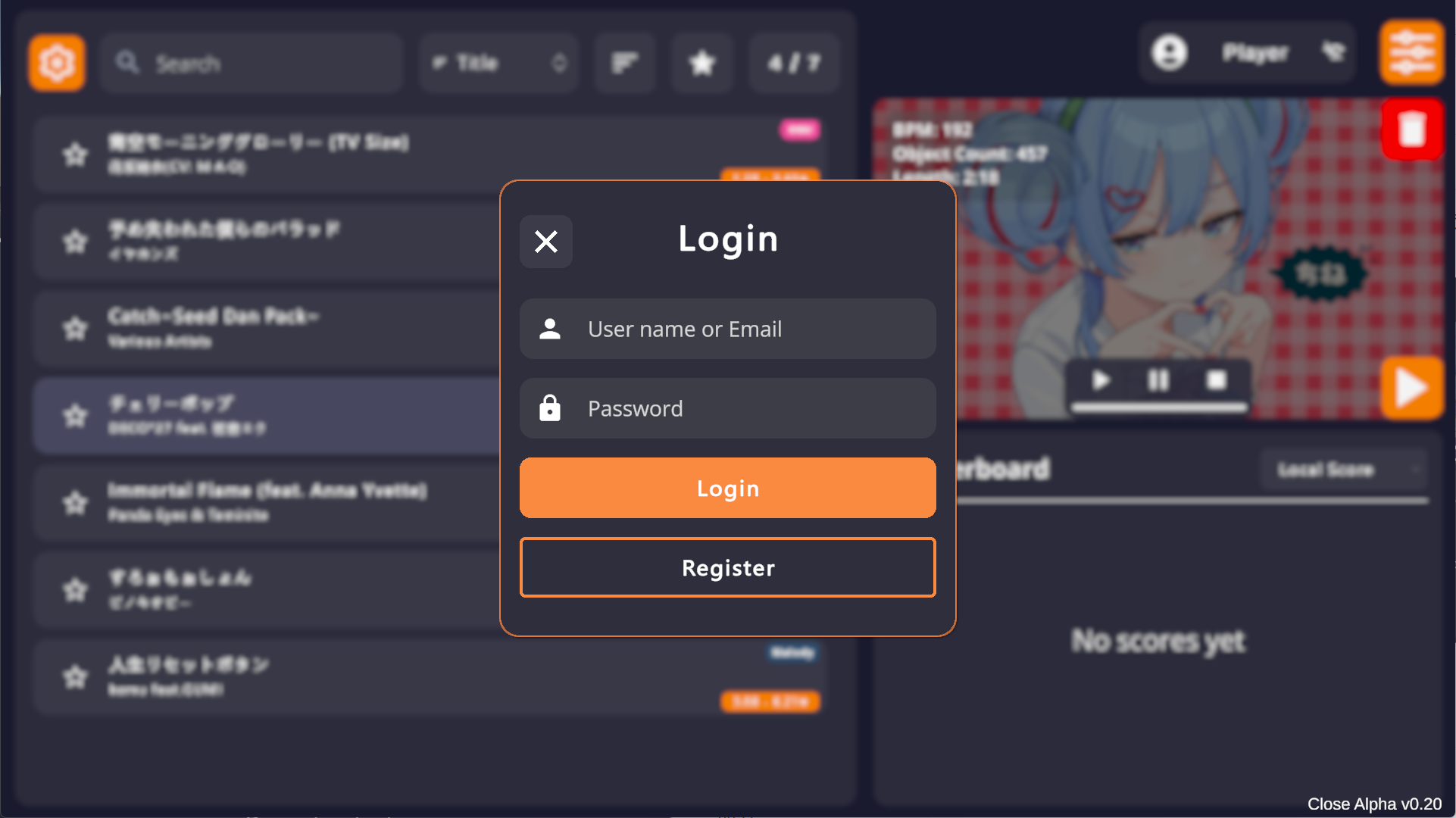
Login with username or email. If you don’t have an account, tap Register at the bottom.
-
Registration requires a valid email for verification.
- Username: 3-10 characters, allowing letters, numbers, and
[] - _. - Password: 8-16 characters.
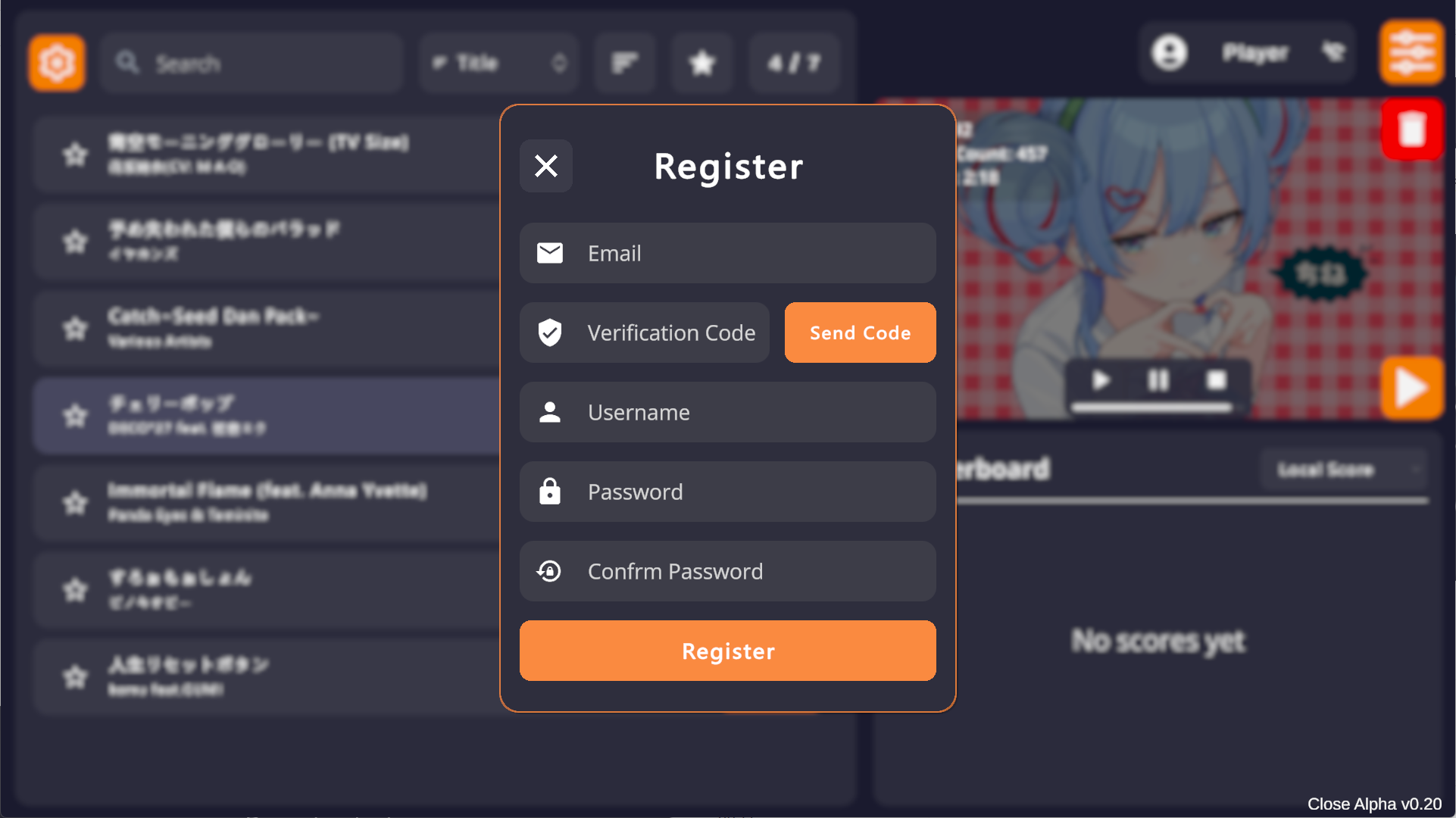
- Username: 3-10 characters, allowing letters, numbers, and
-
Once logged in, the game will auto-login subsequently unless IP or device changes. Tap the top-right corner to view stats or logout.
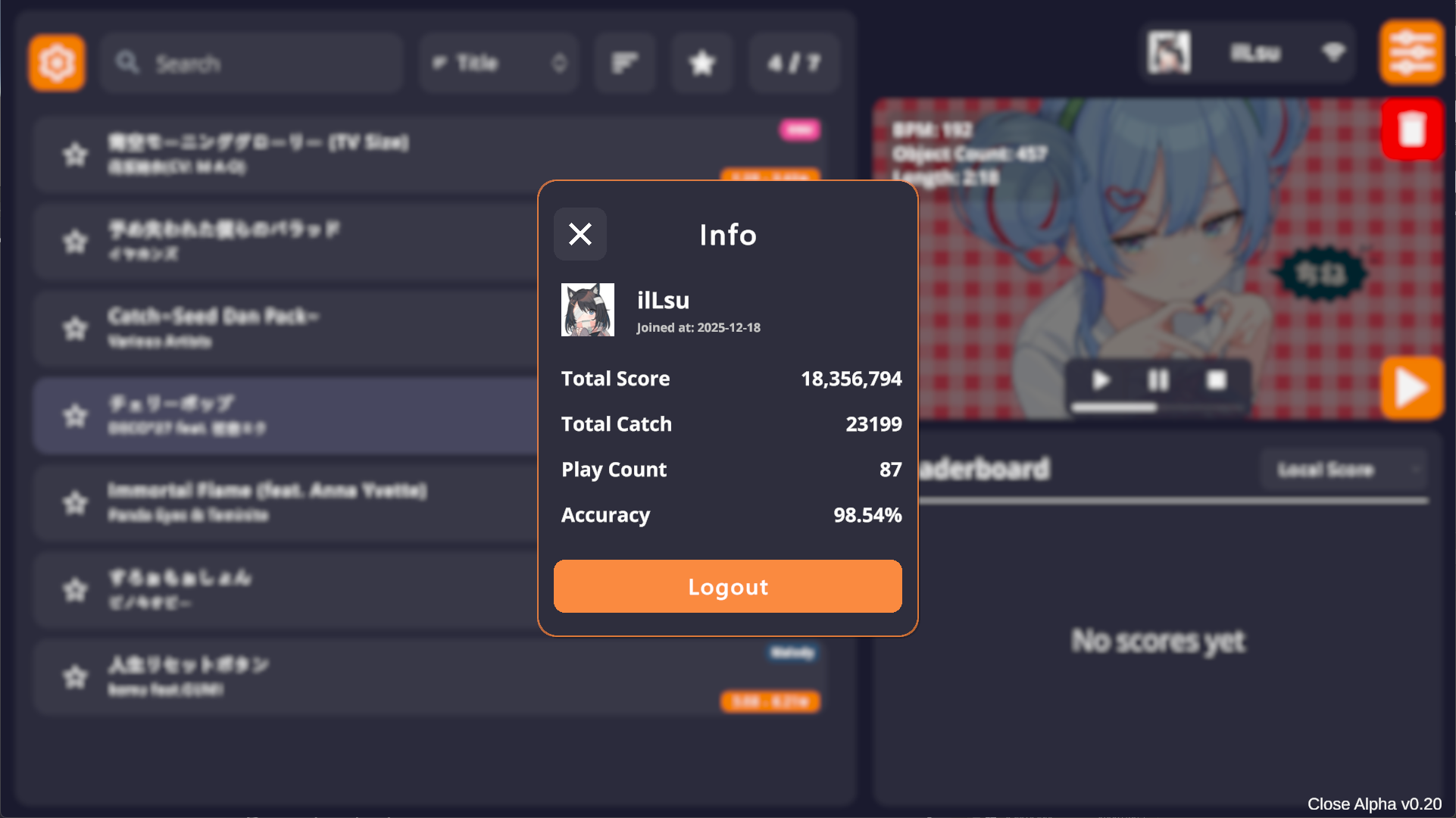
Avatar
The game uses Cravatar for avatars, matching your registration email. It falls back in the order:Cravatar -> Gravatar -> QQ.
To change your avatar, register on Cravatar or Gravatar with the same email used for Cachi.
Score Submission
After logging in, scores for all charts available on OSU! (CTB) or Malody (Catch) official sites can be submitted.- Both Rank and Unrank charts are supported.
- Scores can be submitted with any Mod enabled.
- Charts not found on official sites (e.g., deleted or unuploaded) will be rejected.
- For Unranked charts, please ensure you are using the latest version. If the mapper updates the chart, score submission for older versions may fail.
Leaderboards
There are 4 types of leaderboards:- Local: Your local high scores.
- Rank: Leaderboard for scores with only Rank Mods enabled (e.g., Speed, Flip).
- Unrank: Leaderboard for scores with Unrank Mods enabled (e.g., DTB, Relax).
- Any: Mixed leaderboard showing the highest score from either category.